
You can edit any document you've created in Inhouse by continuing the conversation in the same chat where the document was generated.
To find the chat thread, go into "Your Documents" in your Inhouse dashboard, then click on the document you'd like to edit. 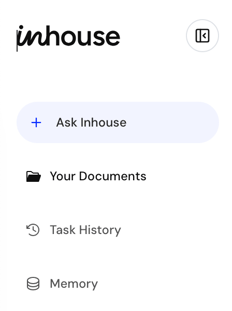
Once you've opened the chat, tell the AI what you'd like to change. You can provide detailed instructions or describe the outcome you're looking for in plain English.
For example:
- "Change the confidentiality period from 3 years to 5 years."
- "Add a clause that prevents either party from soliciting employees."
- "Update this agreement for California law."
- "Make the language simpler and easier to understand."
- "Review this document and identify any risks or missing provisions."
Once you submit your request, Inhouse will revise the document and provide a redlined comparison showing exactly what changed. You can continue making edits until the document meets your needs.
Example: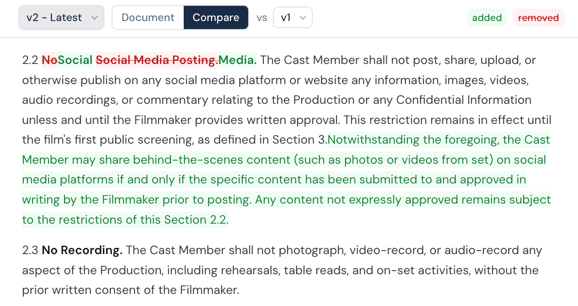
You can also upload an existing document and ask Inhouse to revise, review, or improve it. The AI can help update language, add or remove clauses, identify potential issues, and suggest improvements based on your goals.
Need attorney review?
If you'd like an attorney to review or provide legal guidance on a document, you can request a Consultation directly from the chat using the "Talk to a lawyerl" button.
An Inhouse attorney can review your document, answer legal questions, discuss risks, recommend changes, and help you determine next steps.